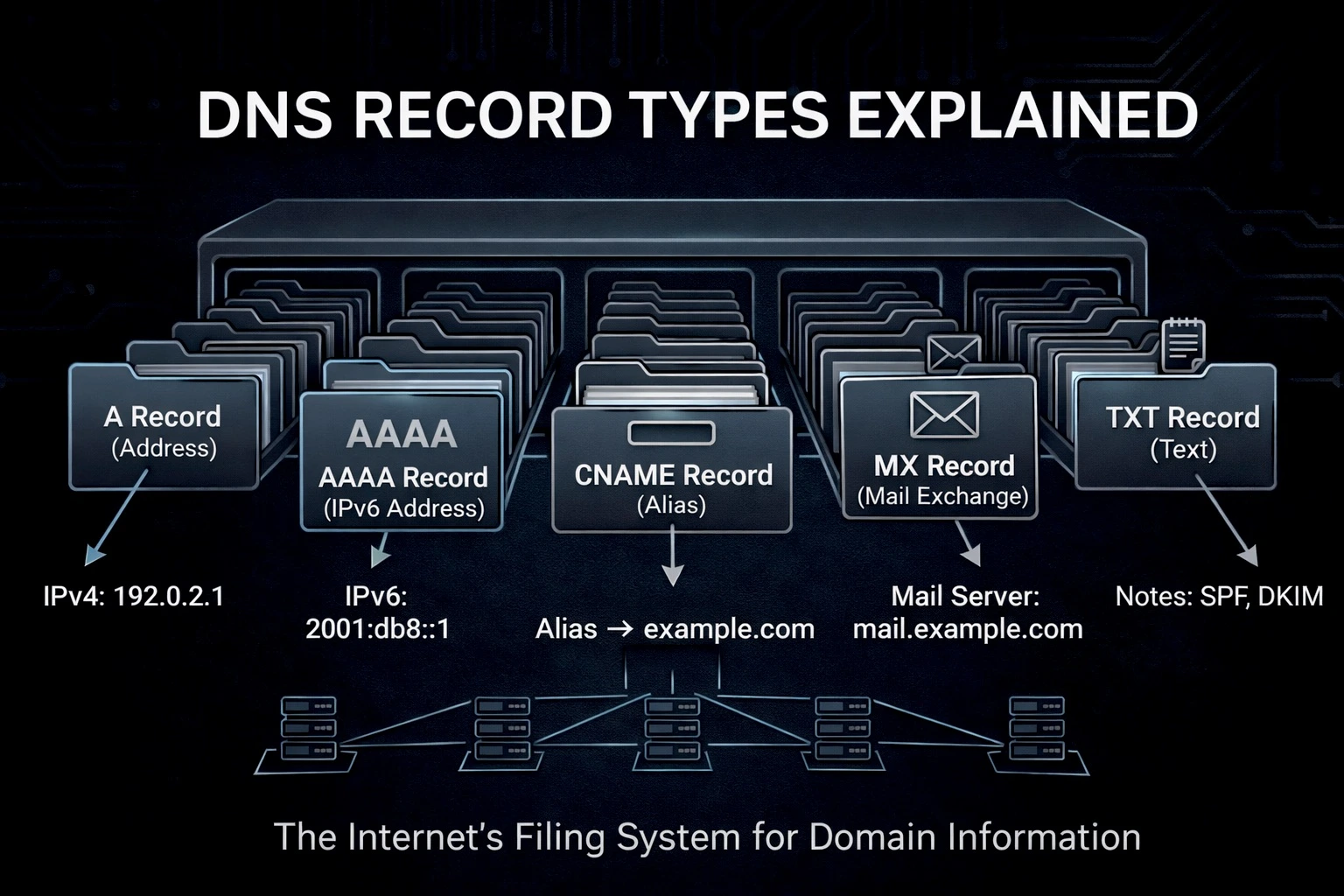
In the last post, we discussed DNS and how it works in detail. In this article, we will talk about how DNS resolution doesn’t always get the IP address directly. Sometimes, it needs to do more recursive work to find the server’s IP address.
A Record
This is the most simple and commonly used DNS Record type that we get from the Authoritative Servers. We receive a simple IPv4 address (e.g. 52.74.6.109) from the server.
thatsmanmeet.com. 1 IN A 52.74.6.109In the output above, you can see that by running the dig command on my website thatsmanmeet.com, I receive an A record with the IP address 52.74.6.109. This IP address can be used by the web browser to easily give users access to the website.
AAAA Record
AAAA Record or Quad A Record is completely identical to the A Record except instead of the IPV4 address (e.g. 52.74.6.109), it returns an IPV6 address (e.g. 2001:0db8:85a3:0000:0000:8a2e:0370:7334).
IPV6 (Internet Protocol Version 6) is a 128-bit network layer protocol designed to replace the smaller pool of IPV4 addresses on the Internet.
example.com. 1 IN AAAA 2001:0db8:85a3:0000:0000:8a2e:0370:7334In the output above, you can see that by running the dig command on the website example.com, I get an AAAA record with the IP address 2001:0db8:85a3:0000:0000:8a2e:0370:7334. This IP address can be used by the web browser to easily give users access to the website.
CNAME Record
CNAME (Canonical Name) Record, returns another domain from the authoritative server instead of the IP address.
To understand Cname records, let’s understand a situation. Suppose, you hosted a subdomain (blog.example.com) on a famous service provider and they provided an A record to point the subdomain to the website.
blog.example.com 1 IN A 13.12.4.1For now, the website was working fine. But let’s say there’s a major outage on the provider’s side, and they set up a new machine. This new machine has the IP address 13.11.4.2. Suddenly, all the websites pointing to the old IP address would stop working. The service provider would have to email all its customers, asking them to update their A records to the new IP address.
This would be very inconvenient, right?
To solve this issue, we have CNAME Records. Let me run the dig command on my subdomain blog.thatsmanmeet.com.
blog.thatsmanmeet.com.	532	IN	CNAME	hashnode.network.
hashnode.network.	1	IN	A	76.76.21.21
In the output above, you can see that my subdomain blog.thatsmanmeet.com returned a CNAME record pointing to hashnode.network. A request was then sent to hashnode.network to resolve my subdomain, and we received an A record from hashnode.network as 76.76.21.21.
Returning to our problem, all I needed to do was add hashnode.network as the CNAME record in my DNS configuration. Even if the IP address changes on Hashnode’s side, my website will continue to work because I have the same CNAME record, and they can map hashnode.network to the new IP address.
subdomain -> Root Servers -> TLD Servers -> Authoritative Servers -> CNAME (domain)
-> repeat for the CNAME domain -> A IP Address -> Requests to open IP Address
Hence, CNAME records return another domain or alias, which then resolved to the corresponding A record providing the IP address.
NS Records
NS (Name Server) Records tells the resolver that the current domain is now being handled by another authority or the Authoritative server is not the original one.
Let’s say you bought a domain from hostinger and now the flow would look something like:
example.com -> Root Servers -> TLD Servers -> Authoritative Servers (Hostinger) -> A recordNow for some reason, you decided to delegate the authority of your domain from the Hostinger to Cloudflare, i.e the Domain Registrar still stays the same (Hostinger) but the authority handling it becomes different (Cloudflare).
So, now if you try to do the DNS Resolution, it would look something like:
example.com -> Root Servers -> TLD Servers -> Authoritative Servers (Cloudflare Name Servers)
-> (cloudflare checks internally for the IP of domain example.com) -> Returns A rcord (IP)
Now in case of sub domain, the above authoritative servers can also return CNAME record as well, then again we need to resolve that CNAME record to get the A records.
MX Record
MX (Mail Exchange) Records are used to direct email to a mail server. They specify the mail servers responsible for receiving email on behalf of a domain.
For example, if you have a domain like example.com and you want to handle emails through a specific mail server, you would set up an MX record pointing to that server.
Let’s say you want to use Google’s mail servers to handle emails for your domain example.com. You would add MX records in your DNS settings like this:
example.com.  3600  IN  MX  1  aspmx.l.google.com.
example.com.  3600  IN  MX  5  alt1.aspmx.l.google.com.
example.com.  3600  IN  MX  5  alt2.aspmx.l.google.com.
example.com.  3600  IN  MX  10  alt3.aspmx.l.google.com.
example.com.  3600  IN  MX  10  alt4.aspmx.l.google.com.
In this setup, emails sent to any address at example.com will be directed to Google’s mail servers. The numbers (1, 5, 10) indicate priority, with lower numbers having higher priority. This means the server with priority 1 will be tried first. If it’s unavailable, the next priority server will be used, and so on. This ensures that your emails are reliably delivered even if one server is down.
TXT Records
TXT (Text) Records are used to store text information in the DNS. They can hold various types of data and are often used for verification purposes.
For example, if you need to verify domain ownership with a service like Google Search Console, you might be asked to add a TXT record to your DNS settings. This record would contain a specific string provided by the service.
Let’s say Google gives you a verification code to prove you own example.com. You would add a TXT record like this:
example.com. 3600 IN TXT "google-site-verification=abc123def456"In this case, the TXT record contains the verification string. When Google checks your domain, it will look for this record to confirm ownership. TXT records are also used for other purposes, like setting up SPF to prevent email spoofing.
Conclusion
Now you understand why DNS is recursive by nature. It doesn’t always hand you an IP address directly; sometimes, it hands you a referral (like a CNAME or NS record), forcing your browser to do the heavy lifting before it finally reaches the destination.